HyperSkill

A plugin for Claude Code

Claude says it’s done.
Is it?

HyperSkill is a plugin for Claude Code. It walks your product from research to launch in nine phases, and a phase only ends when the proof is on disk: a file that exists, a command that really ran. Four checks only you can pass. Claude does the building; this is what stops it skipping steps.

/plugin marketplace add raj742133/HyperSkill
Watch it refuse

For solo builders and small teams shipping real products with AI agents. Needs Python 3 (standard library only) for the tracker.

real output, not a mock-up

      
Every line above is produced by scripts/hyperskill.py when the site is built.

Counted from the repository files at build time. Tests cover the tracker, registry and plugin structure, not model behaviour.

The pipeline

Nine phases. checks. No “trust me”.

Pick a phase to see what must be true before it can advance.

The dashboard

Run it, steer it and see it, from one page.

A page on your own computer opens by itself when you start a project. You can watch the work, but you can also drive it: pick what to use, paste your idea, choose the model, see what is being built and have Claude test it in Chrome. Everything below is a screenshot of the real page, not a mock-up.

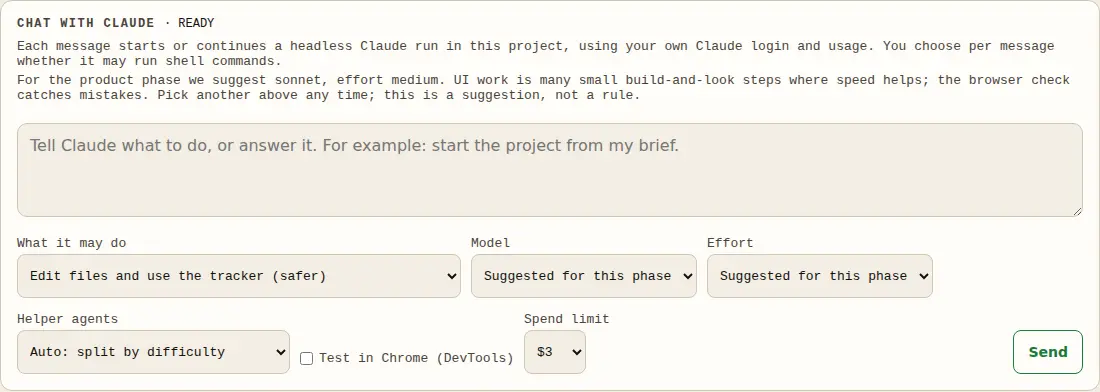
The chat box of the dashboard: what Claude may do, Model and Effort menus (suggested for this phase), a helper-agents setting, a Test in Chrome box, a spend limit and a Send button

Chat with Claude, with the model and effort you choose

Start the dashboard with hyperskill.py live --allow-run and the chat box runs Claude on your project, with your own login. Pick the model and effort like in Claude chat, or leave it on Suggested for this phase: research, plan and harden lean on Opus at high effort, build and launch on Sonnet at medium, and each suggestion says why. Edits-only is the default; shell commands are a per-message choice, there is a spend limit and a Stop button, and no mode skips permission checks.

Attach requirements (markdown, text, Word, PDF, CSV, images) or paste your whole brief. Your words decide what is built; HyperSkill decides how, and anything it would change comes back as a question for you.

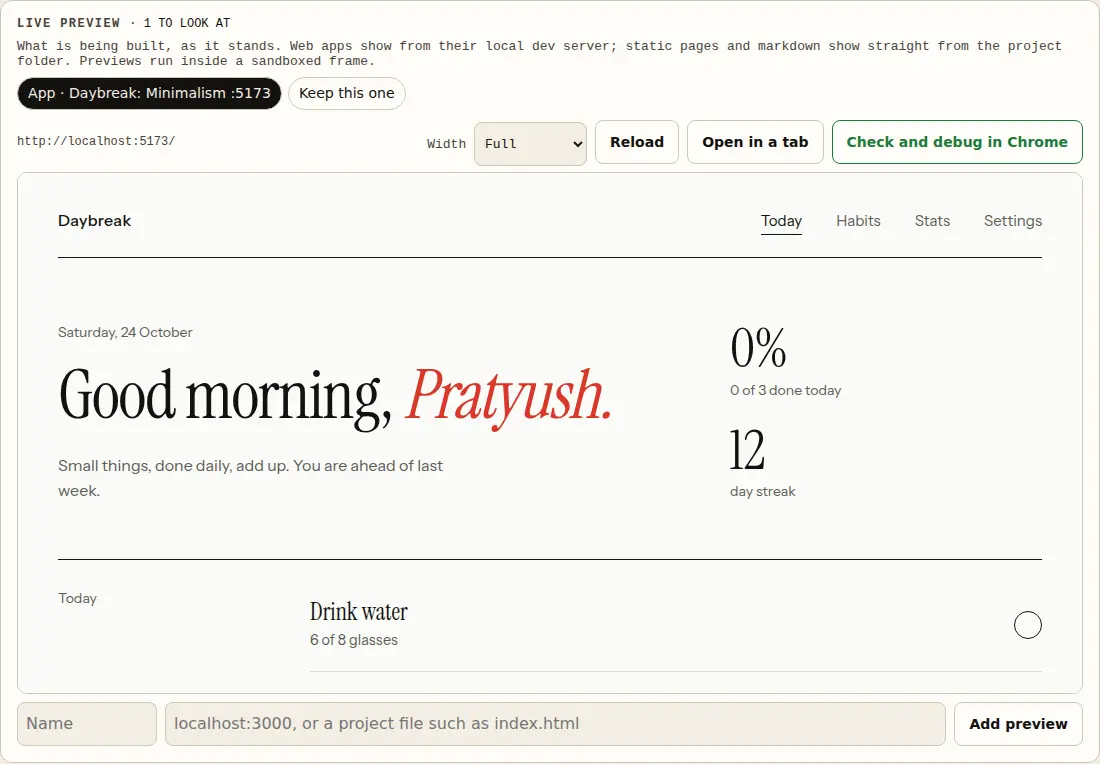
The live preview panel showing a web app in a frame, with tabs for the app and a project file, width choices, Reload, Open in a tab and a Check and debug in Chrome button

See what is being built, and have it tested

A running dev server is found on its own, or you add a local address or a project file. It shows in a sandboxed frame at full, tablet or phone width. Check and debug in Chrome gives that run the Chrome DevTools tools: open the app, click through it, read console errors and failed requests, fix the code and test again. In a real run, a small model found and fixed two bugs in a test page in about a minute for about two cents.

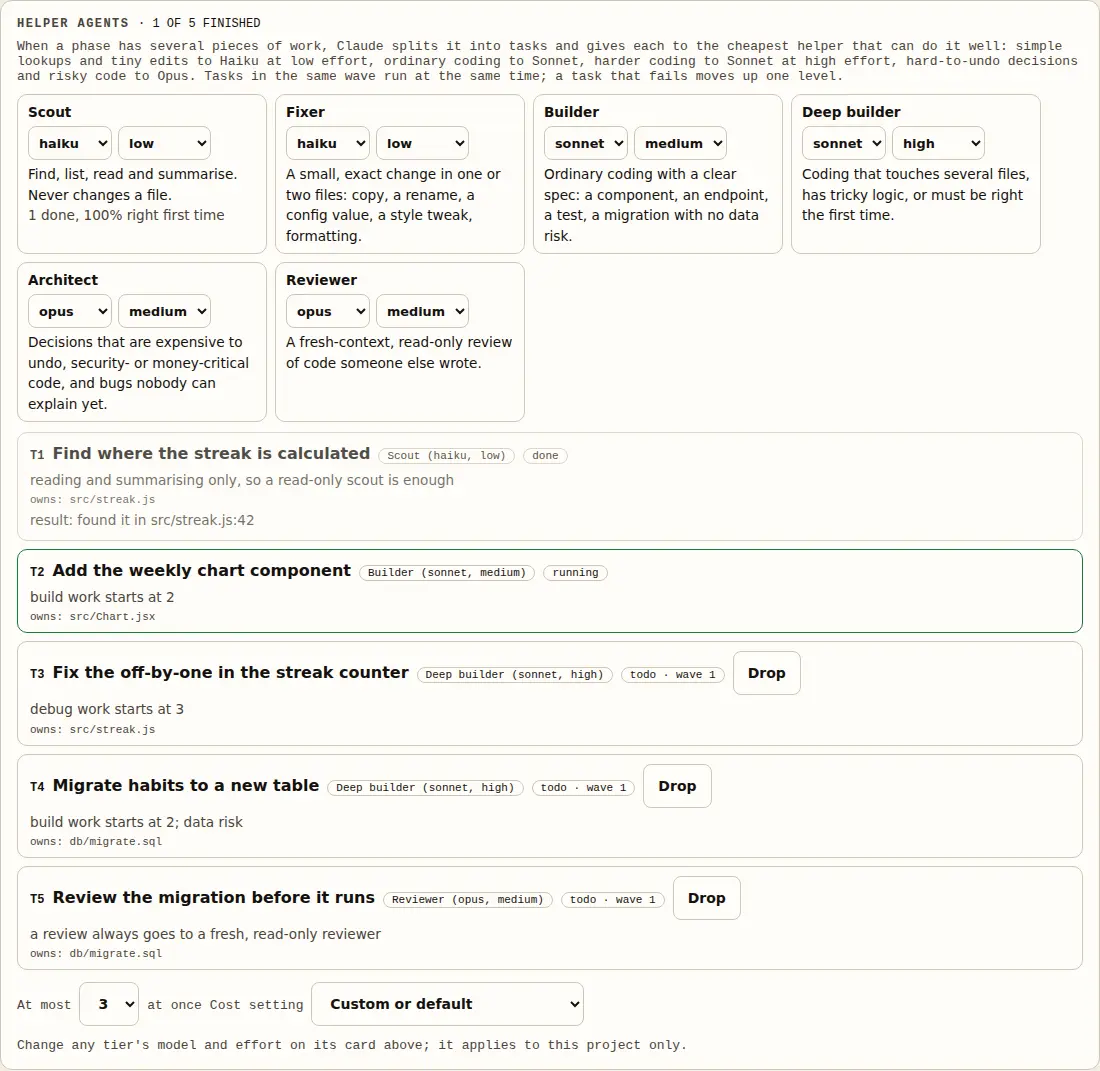
The helper agents board: six tiers from Scout (haiku, low, read-only) to Architect (opus, high), and a task list where each task shows its tier, why it got it, the files it owns and its status

Helper agents, split by difficulty

When a phase has several separate pieces of work, it is split into tasks and each goes to the cheapest helper that can do it well: lookups and tiny edits to Haiku at low effort, ordinary coding to Sonnet at medium, harder coding to Sonnet at high effort, hard-to-undo decisions and risky code to Opus. Every tier's model and effort can be changed per project, so a low-cost project can run the architect on Sonnet. The rule is plain arithmetic, so you can see why each task landed where it did. Tasks that touch different files run at the same time; a task that fails moves up a tier. Security, money and data work never goes to the cheap tiers.

In a real run, three helpers ran together in one message: a Haiku scout, a Haiku fixer and a Sonnet builder, for about 37 cents in total. Claude checked each result itself before recording it.

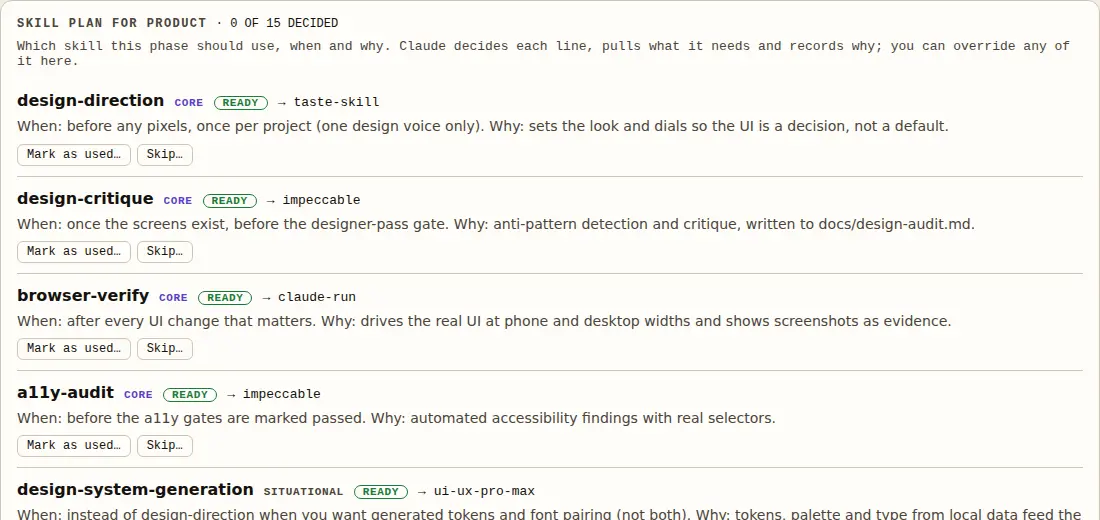
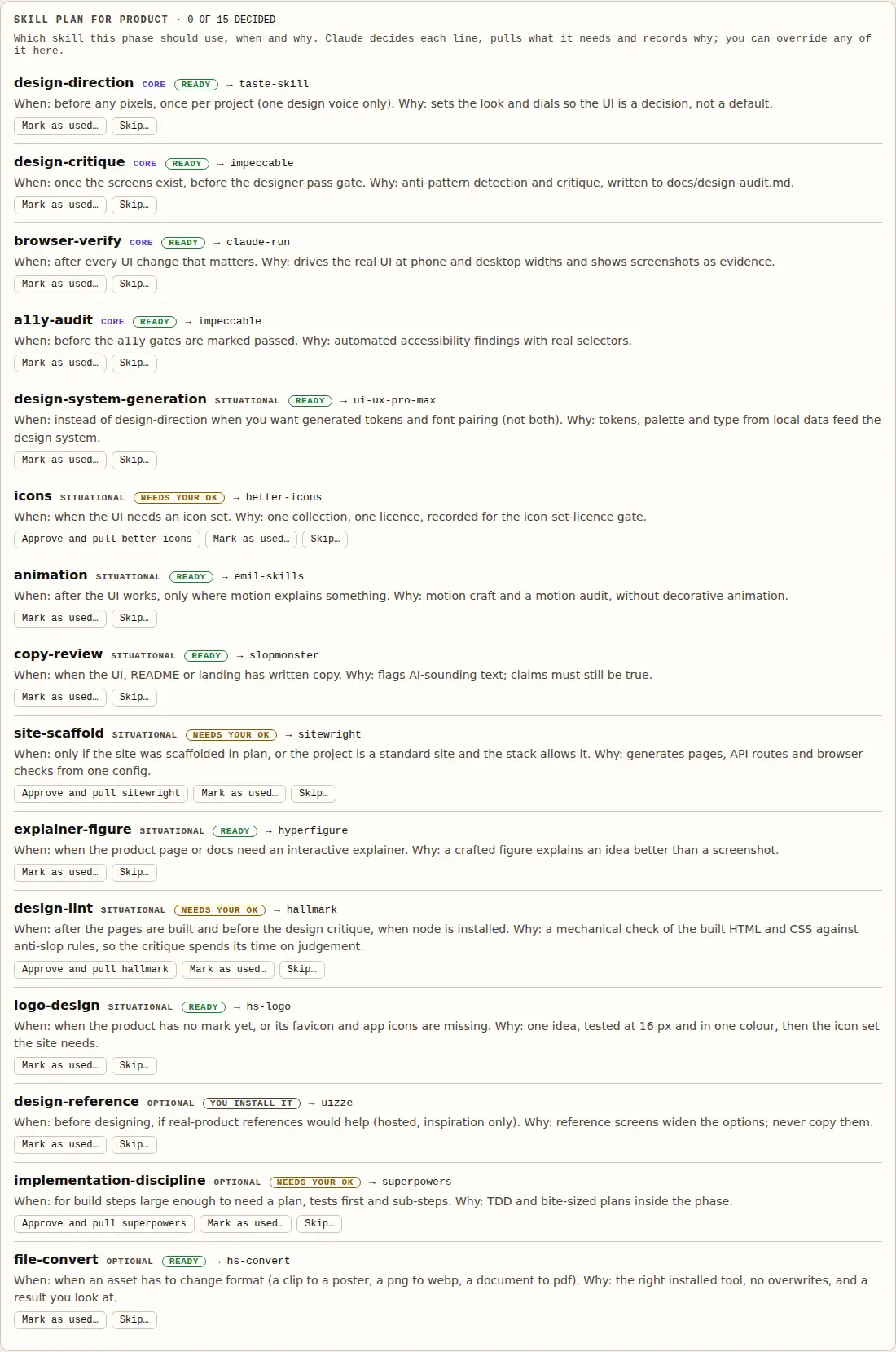
A skill plan for the research phase: deep-research as core, video-analysis as situational and needing approval, product-interrogation as optional, each with when and why

Which skill, when, and why

Every phase has a plan: which skills are core, which only apply in some situations, which are optional, when to use each and why. Claude pulls a skill only when its moment comes, records why, and releases it at the end of the phase. Anything that is not already in the project needs your OK, and you can override any line from here.

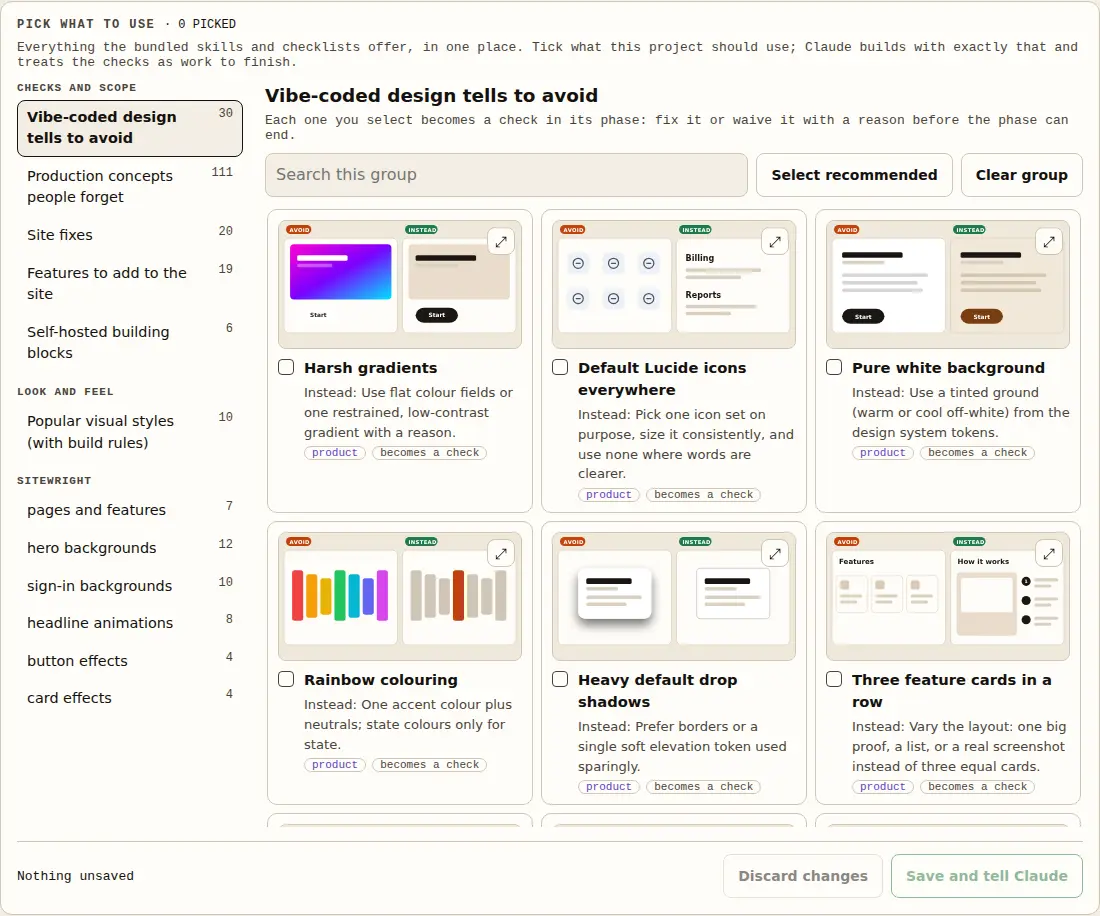
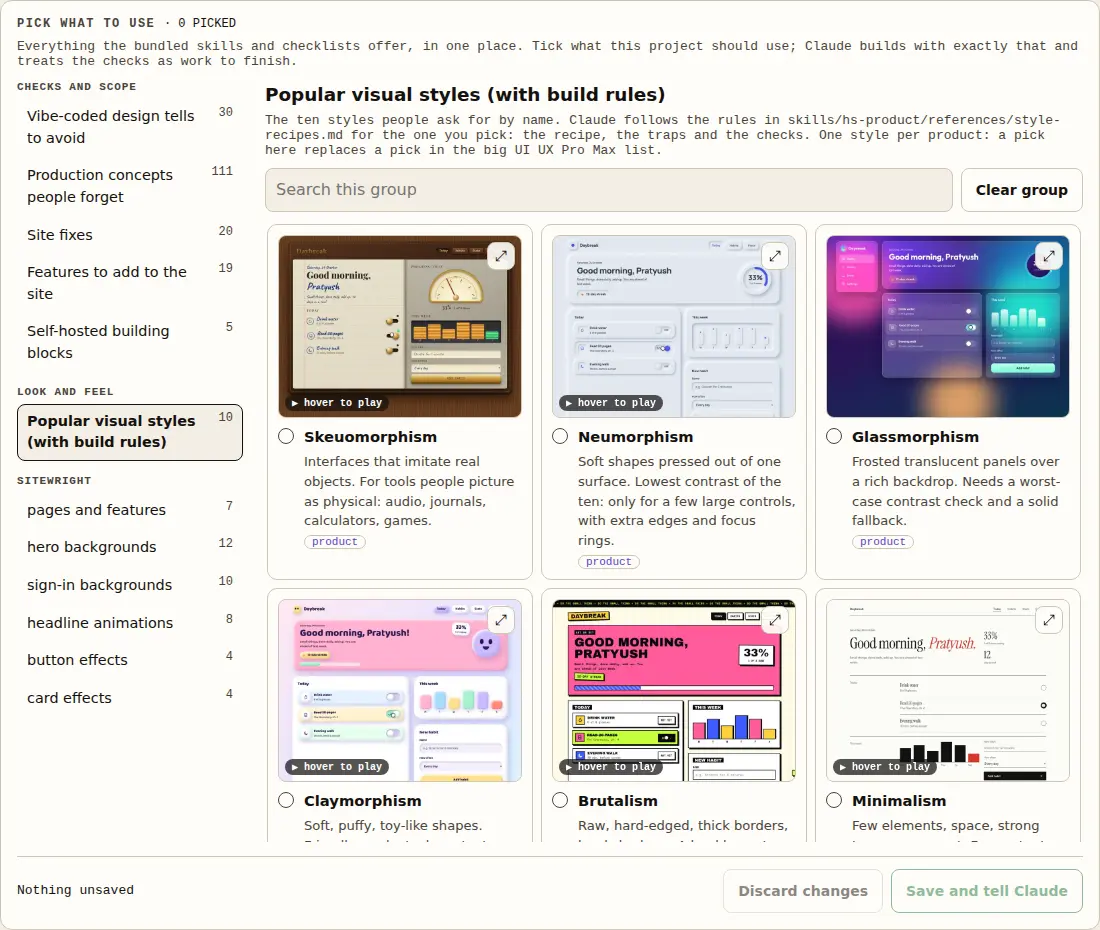
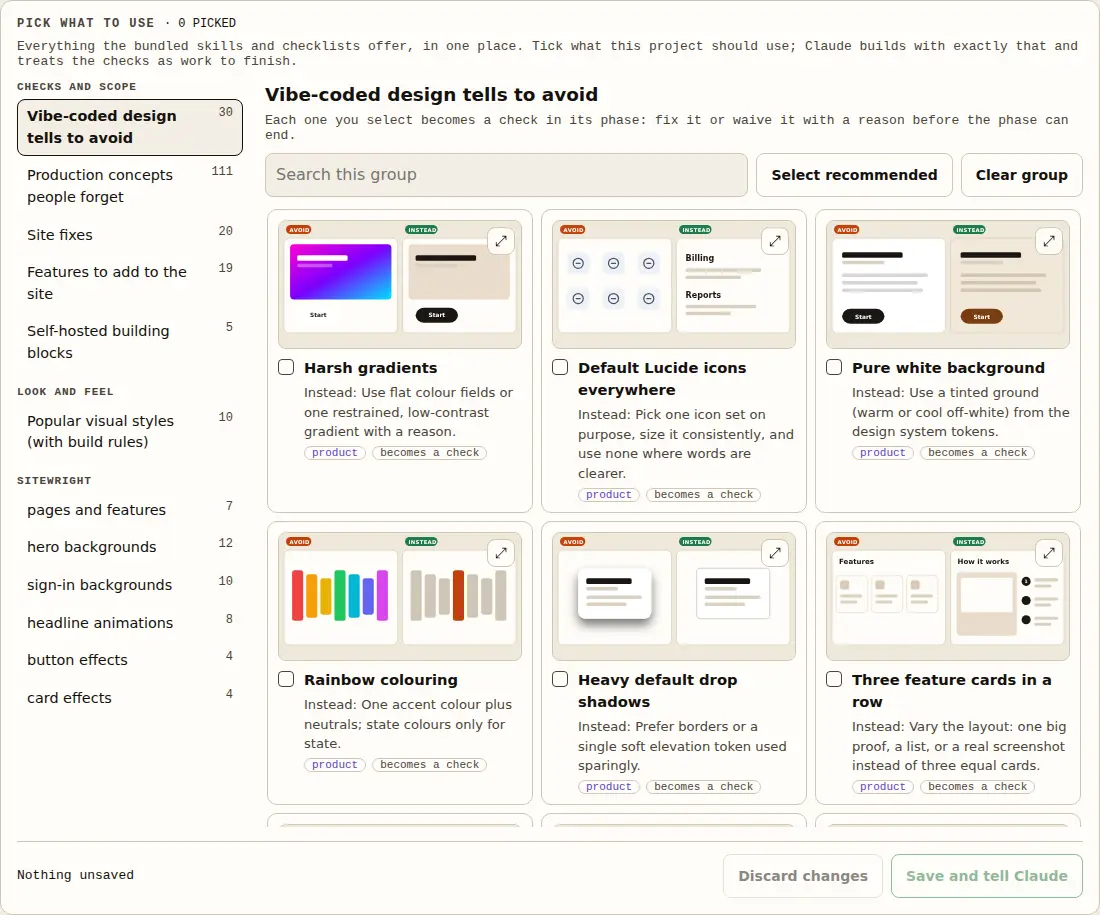
The Pick what to use catalogue: vibe-coded design tells to avoid, each card showing an avoid and an instead picture, with tick boxes, search and a Save and tell Claude button

Pick what to use, with pictures

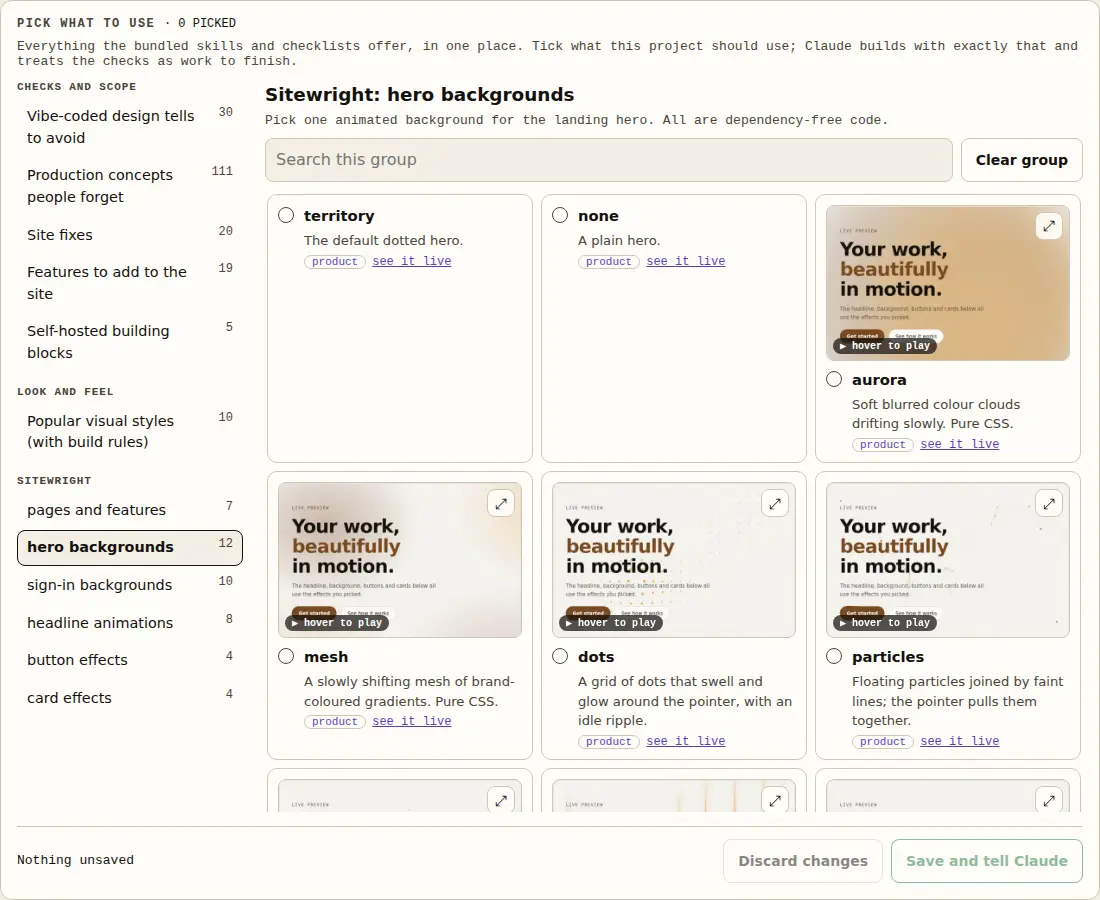
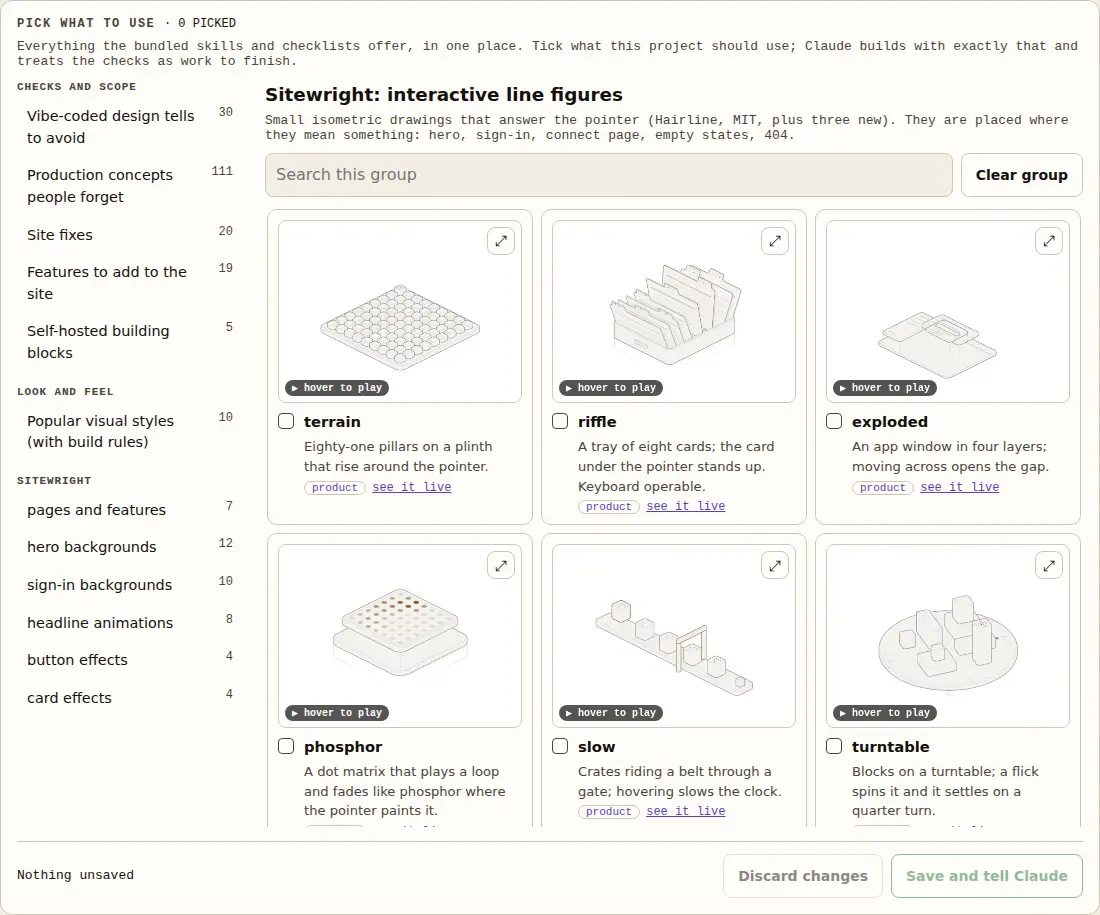
Design tells to avoid, production concepts people forget, site fixes, features to add, Sitewright heroes, sign-in backgrounds, components and effects, interactive figures, UI UX Pro Max styles, fonts and palettes. Each has a picture or short clip so you can see it. Whatever you tick becomes a check in its phase that has to be fixed or waived with a reason before the phase can end.

Local and locked: the page listens on 127.0.0.1 only and answers only the browser you signed in with (the key is in a file only you can read), every action needs a second per-run key, and it never starts Claude unless you launch it with --allow-run. Tried on Linux only.

Skill packs

skill packs, bundled and off until you enable them.

The skills are copied unmodified from their authors, with their licences, so nothing is fetched at run time. integrations enable installs one into your project for the phases that use it and it is released when the phase ends. Karpathy’s coding rules are on by default.

Skill text was read at README level when vetted, not audited line by line, so enabling a pack runs third-party instructions. Some need tools that are not bundled (ffmpeg, npx hyperframes, the ocr program). Licences and commits are in packs/*/NOTICE.md.

Visual styles

One product, ten styles, each designed end to end.

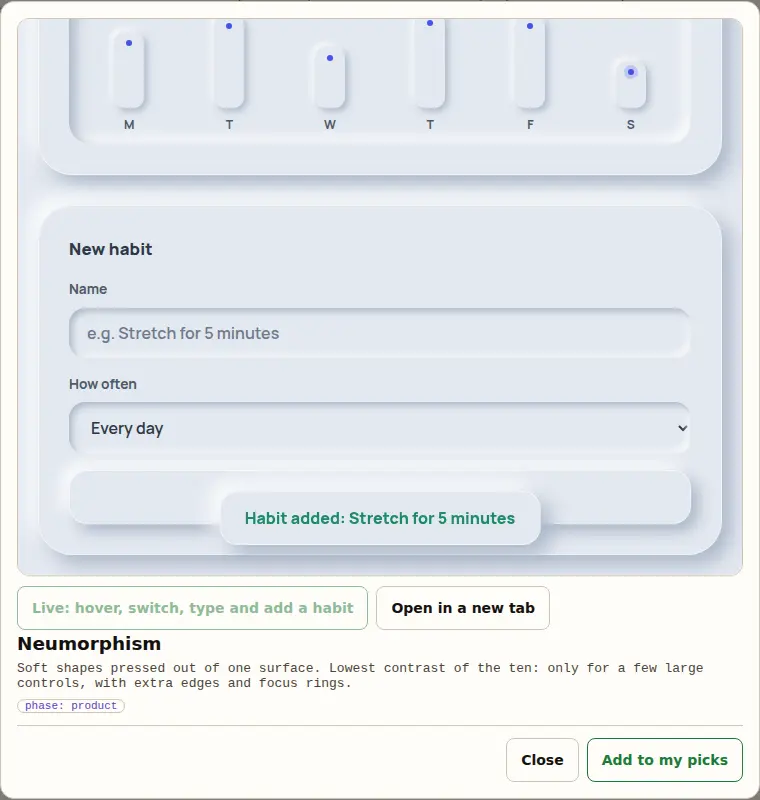
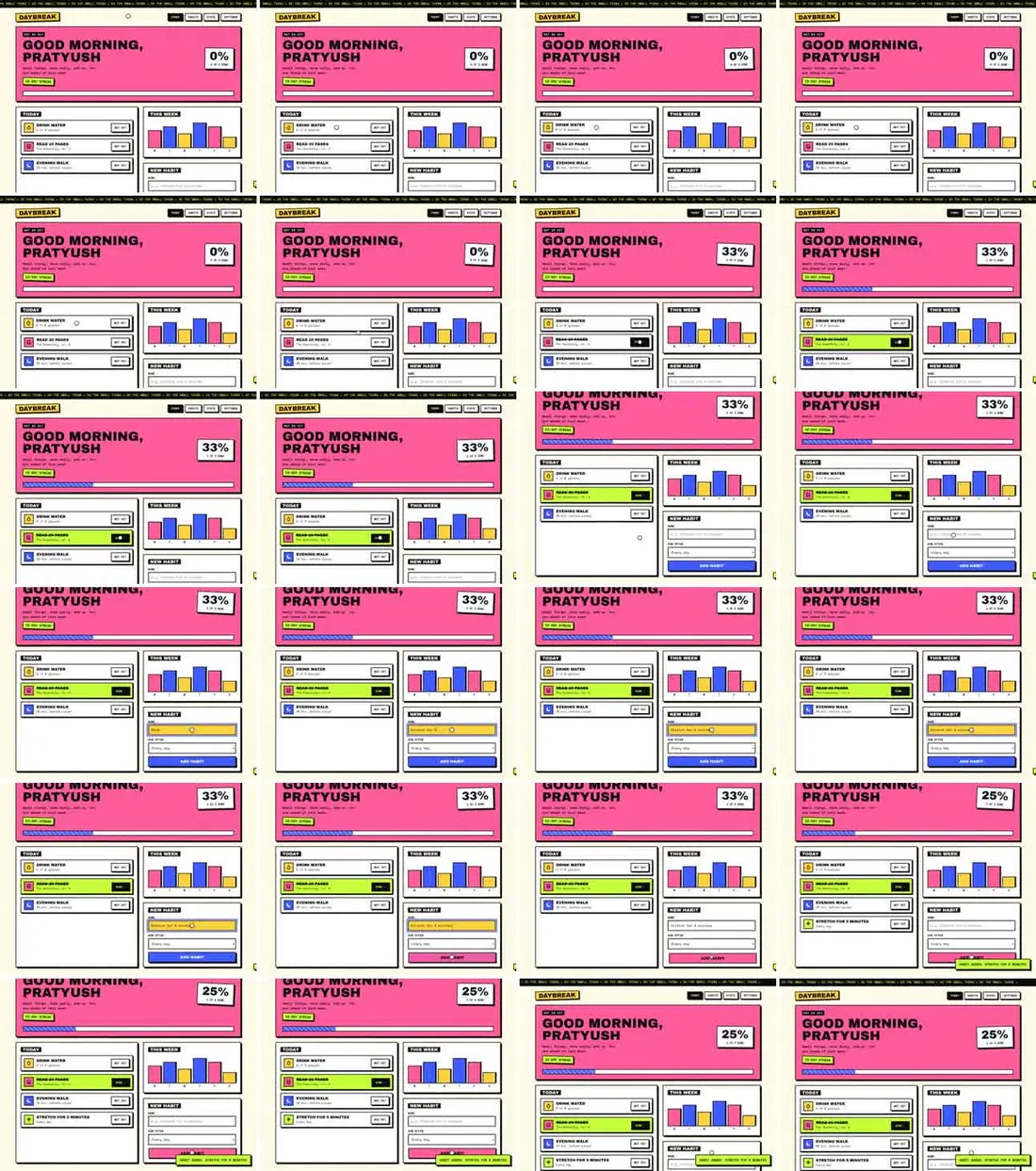
The same habit tracker, built ten ways, so you can see what a pick means before you make it. Hover a clip to play it. In the dashboard each one also opens as a live page you can click, with its recipe, its traps and the checks it has to pass.

Everything, shown

The features, as they look when they run.

Real screenshots from a demo project, taken in a real browser from the running dashboard and tools. Nothing here is a mock-up; where a picture is a recording or a terminal, it says so.

The dashboard

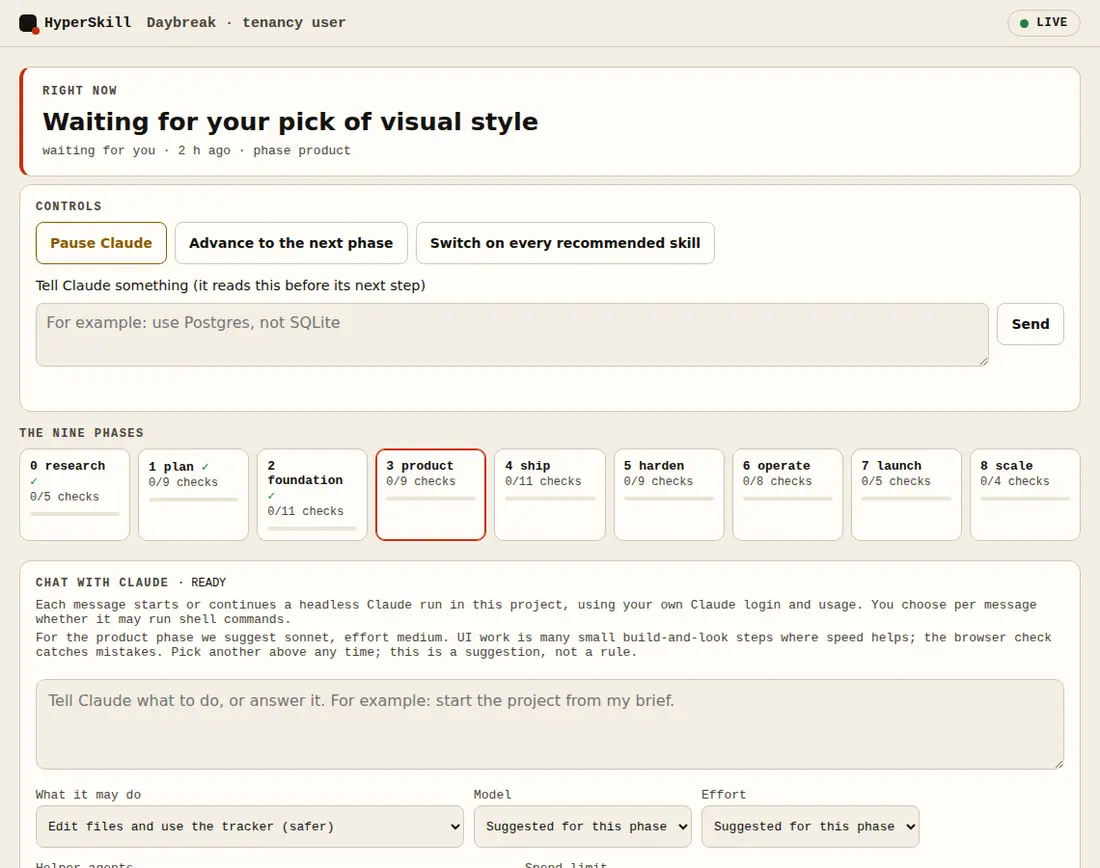
The dashboard's first screen: the project name and tenancy, what Claude is doing right now, and the nine phases with the current one marked
Right now and the nine phases. What is happening, in plain words, and where the project stands. Pause, instruct or advance from here.
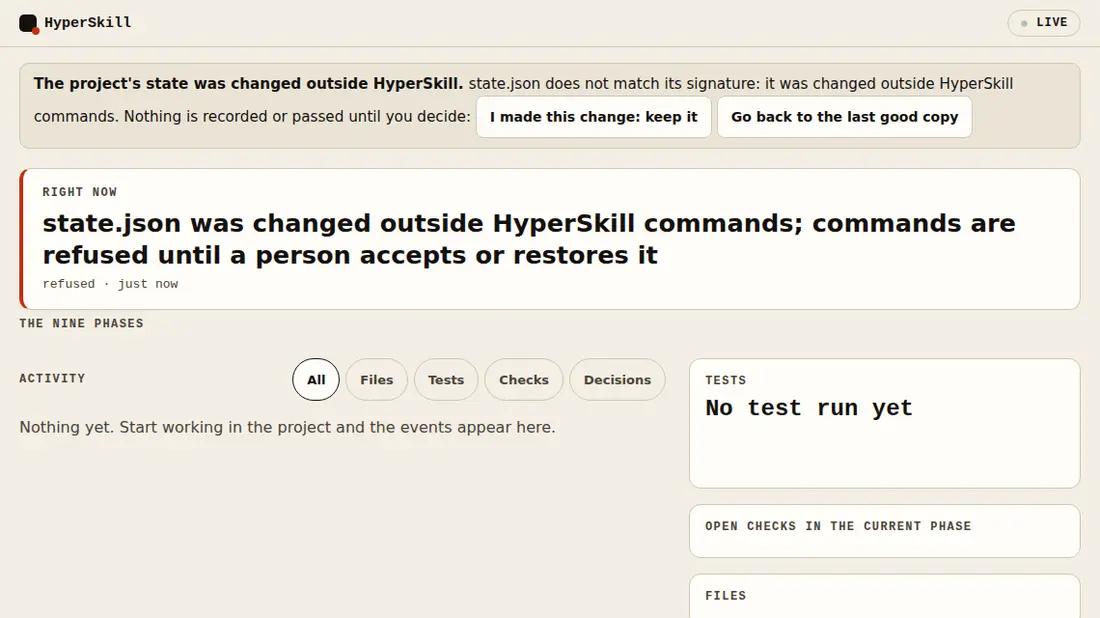
The dashboard after state.json was edited by hand: a banner says the state was changed outside HyperSkill and offers two buttons, keep my change or go back to the last good copy
A tampered state is refused, not trusted. The state file is signed. Edit it outside HyperSkill and nothing is recorded or passed until a person chooses to keep the change or restore the last good copy.
The skill plan for the Product phase: each line names a slot such as design-direction, logo-design or file-convert, whether it is core, situational or optional, which skill answers it, and buttons to mark it used or skip it
The skill plan, per phase. Which skill each step uses, when and why. New slots logo-design and file-convert are answered by the bundled skills; anything that needs your OK says so.

Pick what to use

The Popular visual styles group in the picker: ten cards, each with a recorded clip of a habit tracker built in that style, such as Skeuomorphism, Neumorphism and Glassmorphism, and one selected
Ten styles, each one designed end to end. The same habit tracker in each style, so you see what a pick means. Hover a card to play it.
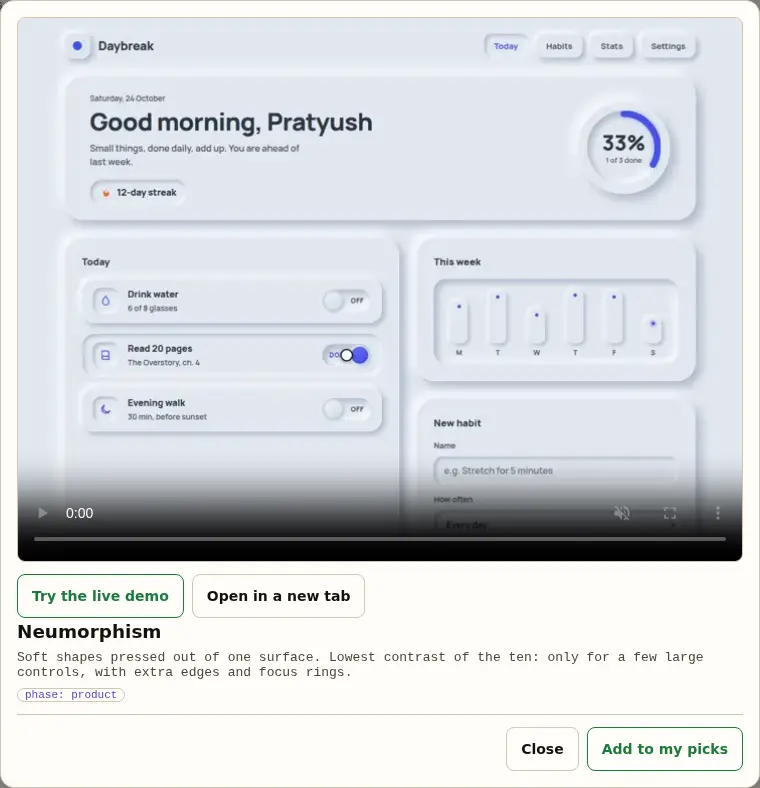
The enlarged view of the Neumorphism card: the clip, buttons Try the live demo and Open in a new tab, the style's description and an Add to my picks button
Enlarge a card. The large clip, what the style is for and its warning, and a button to try it.
The live demo of the Glassmorphism style running inside the picker, with a habit just added and a toast saying Habit added
Try it live, in a sandbox. A working page you can click: switch a habit, type a new one, add it. It runs in a sandbox with no network.
The picker's hero backgrounds group from Sitewright: cards with looping previews, each with a checkbox
Sitewright's building blocks, with previews. Hero and sign-in backgrounds, headlines, buttons, cards and more, each playing on hover.
The picker's interactive line figures group: isometric drawings such as terrain, riffle and exploded, each with a see-it-live link
Interactive figures. Small isometric drawings that answer the pointer, placed where they mean something.
The picker's group of vibe-coded design tells to avoid, each card showing an avoid-versus-instead picture
Design tells to avoid. What makes a page look machine-made, with the better alternative beside it.
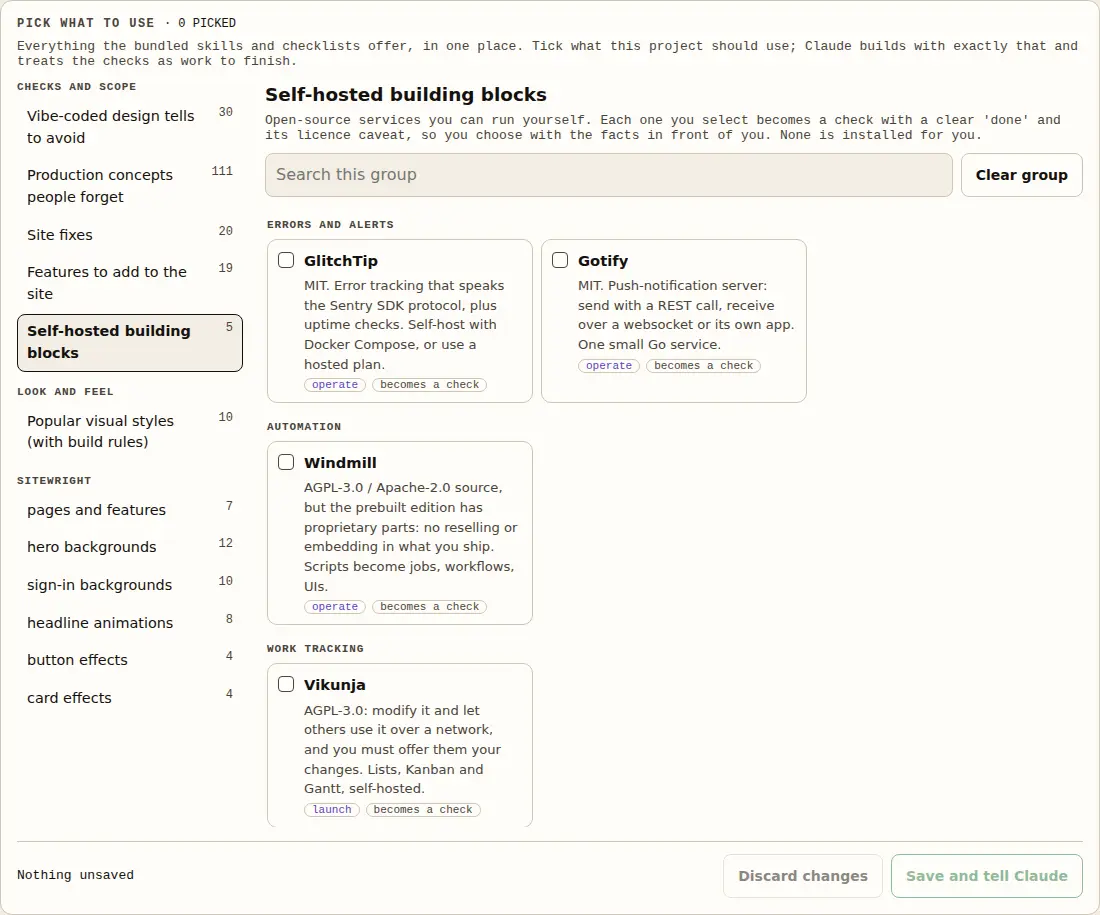
The picker's self-hosted building blocks group: GlitchTip, Gotify, Windmill, Vikunja and celld, each with its licence caveat and what done means
Self-hosted building blocks. Services you can run yourself, as tracked checks, with the licence caveat written next to each.

Three skills written for this project

A contact sheet of 24 frames from a recorded demo clip, one per detected moment, in a grid
hs-watch: the contact sheet. A video becomes one picture of every moment, plus frames at each cut, the opening seconds, captions and a report with blanks Claude has to fill.
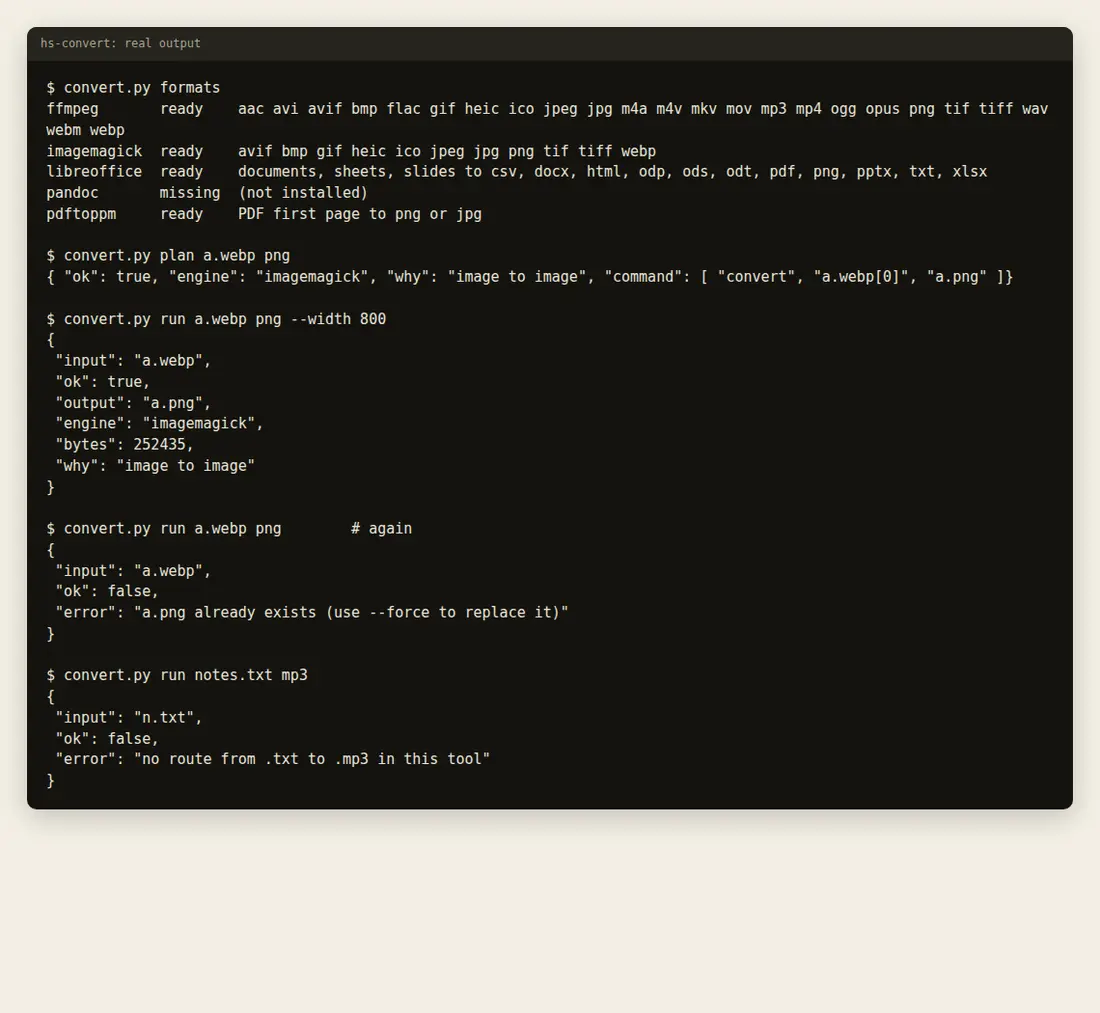
Terminal output of hs-convert: the tools it found, the plan for a conversion, a successful conversion, a refusal to overwrite and a refusal of an impossible route
hs-convert: real output. It shows the command before running, never overwrites, and says plainly when there is no route or a tool is missing.
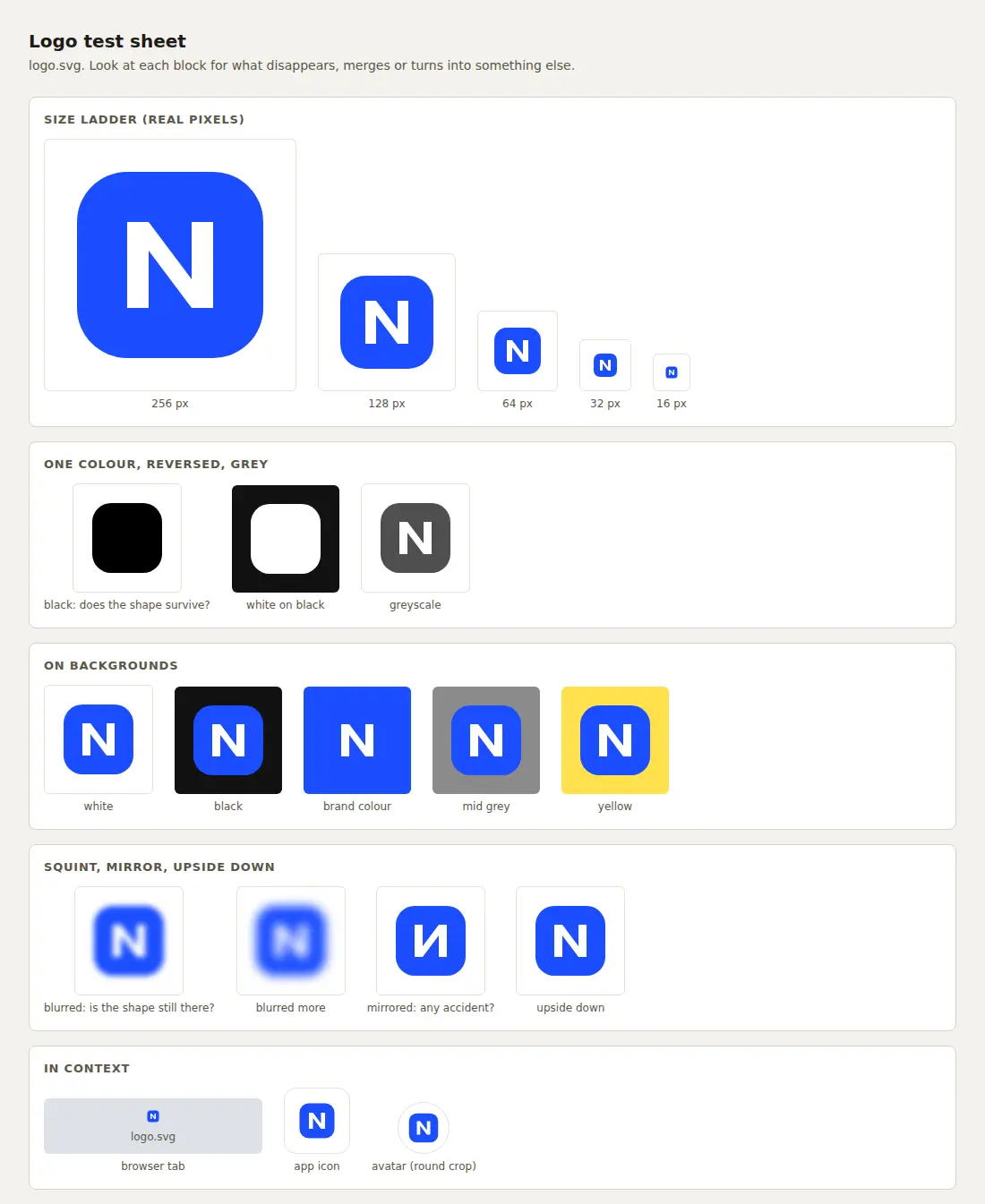
The hs-logo test sheet for a blue rounded square with the letter N: the size ladder from 256 down to 16 pixels, one colour, reversed, greyscale, on several backgrounds, blurred, mirrored, upside down, and in a browser tab, app icon and round avatar
hs-logo: the test sheet. Where a mark breaks: small, in one colour, reversed, blurred. The black version of this one is a solid block, which is the point of the test.
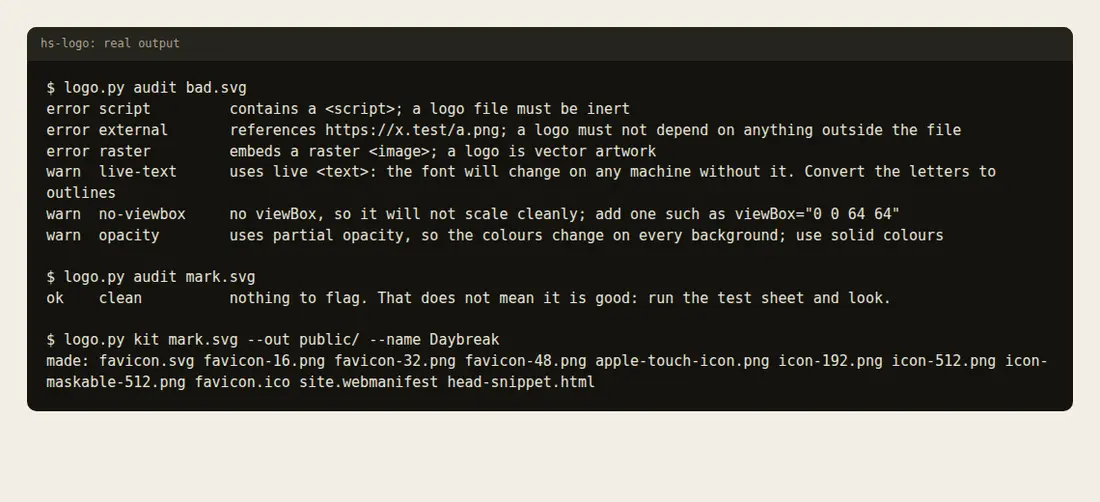
Terminal output of hs-logo: an audit of a bad SVG listing errors for a script, an external reference and an embedded raster, and warnings, then a clean audit and the kit it exported
hs-logo: audit and kit. Errors and warnings in plain words, then the icon set and manifest.
The exported icons at their true proportions: favicon 16, 32 and 48 pixels, the 192 pixel icon, the Apple touch icon and the maskable icon
hs-logo: the icon set. 16, 32 and 48 px favicons (also packed into favicon.ico), 192 and 512 px icons, the Apple touch icon, a maskable icon, the manifest and the head snippet.

And also

The parts that do not fit in a screenshot.

What makes a pass mean something, what else is bundled, and what is deliberately left optional.

Checks that defend themselves

The state file is signed: edit it by hand and every command refuses until you choose to keep the change or restore the last good copy (repair --accept or --restore). Evidence that names a missing file, or a command that cannot fail, is refused. Four checks (go-no-go, system-design-read, architecture-explained, promo-rendered) can only be passed by a person pressing Confirm in the dashboard. Claude cannot edit or read the key files.

Tamper-evident and accident-proof, not a sandbox: a process that already has your shell can do what you can.

A check before every push

scripts/check.sh runs the whole test suite, the plugin validator, shell and JavaScript syntax and confirms the generated site data is current. scripts/install-git-hooks.sh makes it run before each git push, and the same script runs on GitHub when Actions is available.

Hyperfigure: explain an idea as a working object

/hyperskill-figure builds an interactive isometric figure: a cache key as a pin-tumbler lock, a rate limiter as a turnstile. It has a drawing kit (SVG, WebGL, optional 3D), nine worked examples and audits. Derived from Anatomy by Ryan (MIT); the notice stays with it. Needs Node 20.10+ and Chrome for its checks.

Ten visual styles, with build rules

Skeuomorphism, Neumorphism, Glassmorphism, Claymorphism, Brutalism, Minimalism, Maximalism, Liquid Glass, Bento Grid and Spatial UI. Each has a recipe, its traps and the checks it must pass (style-recipes.md), plus a designed example to play and try live in the dashboard. One style per product: a pick here replaces a pick from the long list.

Helper agents, priced by difficulty

Work is split into tasks and each goes to the cheapest helper that can do it well: Haiku for lookups, Sonnet at medium or high effort for coding, Opus for architecture and review. Tasks that touch the same files never run together, a failed task moves up a tier, and every tier's model and effort can be changed per project from the dashboard to keep a project cheap.

Opt-in tools, not bundled

last30days (what people said in the last 30 days, as evidence, never as proof of demand), Scrapling (bulk public data, within each site’s terms, never to get past bot protection) and REA (analysing a bundle you ship). Each is registered with its risks and does nothing until you ask. Diagram Design, Hallmark and Humanizer are bundled unmodified.

Self-hosted building blocks

GlitchTip (errors), Gotify (alerts), Windmill (automation), Vikunja (tasks), celld and RAG-Anything (questions over your own documents). Each is a tracked check with its licence caveat written next to it and a plain description of what “done” means, including the cost of running it yourself.

Honest about its limits

Tests cover the tracker, registry, hooks, dashboard and site, not model behaviour. Windows and macOS are untested, third-party skill text was read at README level, and the LibreOffice route of hs-convert could not be run in the build sandbox. The full list is under Limits.
Next

Not built yet.

Plans, not features. Nothing on this list exists today.

Adopt mode: an existing repo

Today it works in any folder, but the phases assume you start from an idea. Adopt mode would read the repo first (stack, structure, tests, risks), pre-fill or waive the checks the code already answers, and plan a restructure as small, reviewed, test-guarded steps, with tests that pin today’s behaviour before anything moves.

A code view in the dashboard

Today you see which files changed and by how many lines. Next: a read-only file tree and diff that show which file Claude is working on right now and exactly what changed, with a run log. No built-in editor or terminal: your IDE does that better.

Playwright built in

Today the ship phase demands end-to-end tests for signup, login, billing and the core flow, and Claude writes them in your project. Next: a Playwright starter template and a button that runs them and records the result as evidence in the gate.

A recorded session

Watch it work, as it works.

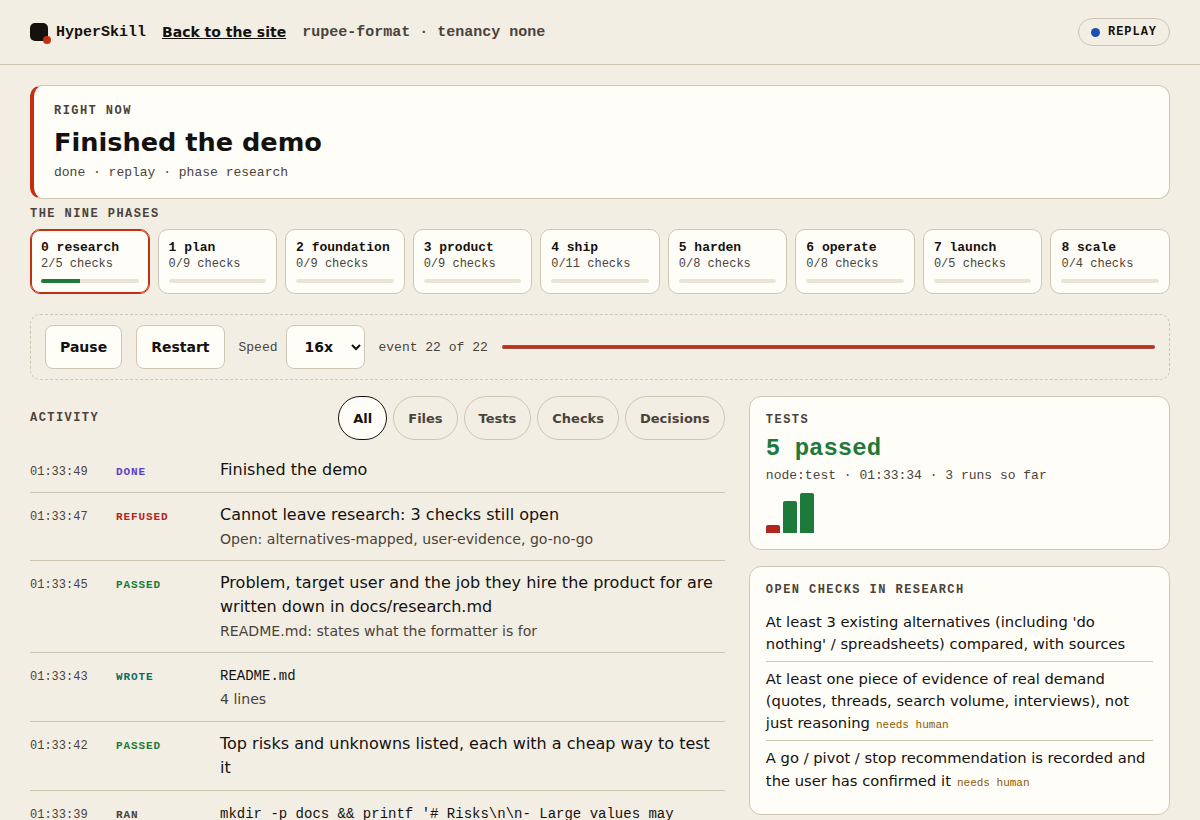
The dashboard also shows what HyperSkill and Claude are doing in your project the moment it happens: each file written, each command, each test run with its pass and fail counts, each check passed, failed or refused, and each decision.

The live view: a Right now card, the nine phases with progress, an activity feed of files written, a failing then passing test run and a refused advance, and side panels for tests and open checks
The live view at the end of a real recorded session.
  • Right now says what is happening, in plain words.
  • Files, commands and tests are recorded by a plugin hook, so nothing depends on Claude remembering to report them.
  • Failing tests show up too, with the counts, not only the green ones.
  • Secrets are masked before anything is written. The page runs on your computer only.

Play a recorded session

The recording is a real session: Claude, with this plugin installed, building and testing a tiny rupee formatter. Nothing was added or reordered.

How it stays honest

It conducts. It never plays and grades its own work.

  1. Evidence or it did not happen

    gate --pass refuses to record a pass without evidence. gate --run passes only if your command exits 0. advance will not move while any item is open.

  2. Your decisions stay yours

    Stack, tenancy, providers and limits are asked, not assumed, then written to docs/decisions/ so a new session cannot quietly change them.

  3. Fresh eyes review the code

    Security and test-quality reviews run in a read-only reviewer agent that did not write the code. A skill saying “all clear” is input, never the verdict.

  4. Licence-aware by default

    Opt-in tools stay off until you enable them. Tools with noncommercial licences are blocked on commercial projects, and the resolver says why.

The bench

Other people’s skills, vetted and put in their place.

Each phase asks for a capability, such as security-audit or video. HyperSkill uses an installed provider if policy allows it, otherwise a built-in fallback. It never installs anything on its own.

ToolLicenceSlotsPolicyFirst thing to know

Vetted from READMEs on 2026-10-05 to 2026-10-19, not source audits. Re-vet and pin a version before enabling anything.

Start

Two commands, then describe your idea.

1
/plugin marketplace add raj742133/HyperSkill
/plugin install hyperskill@hyperskill
2
/hyperskill "a short description of your idea"

The dashboard opens on its own. Then /hyperskill-status shows where you are and /hyperskill-gate works the current gate. To chat and run Claude from the dashboard itself, stop it and start it with hyperskill.py live --allow-run.

Known limits

What it cannot promise.